

NVMe Base for Raspberry Pi 5
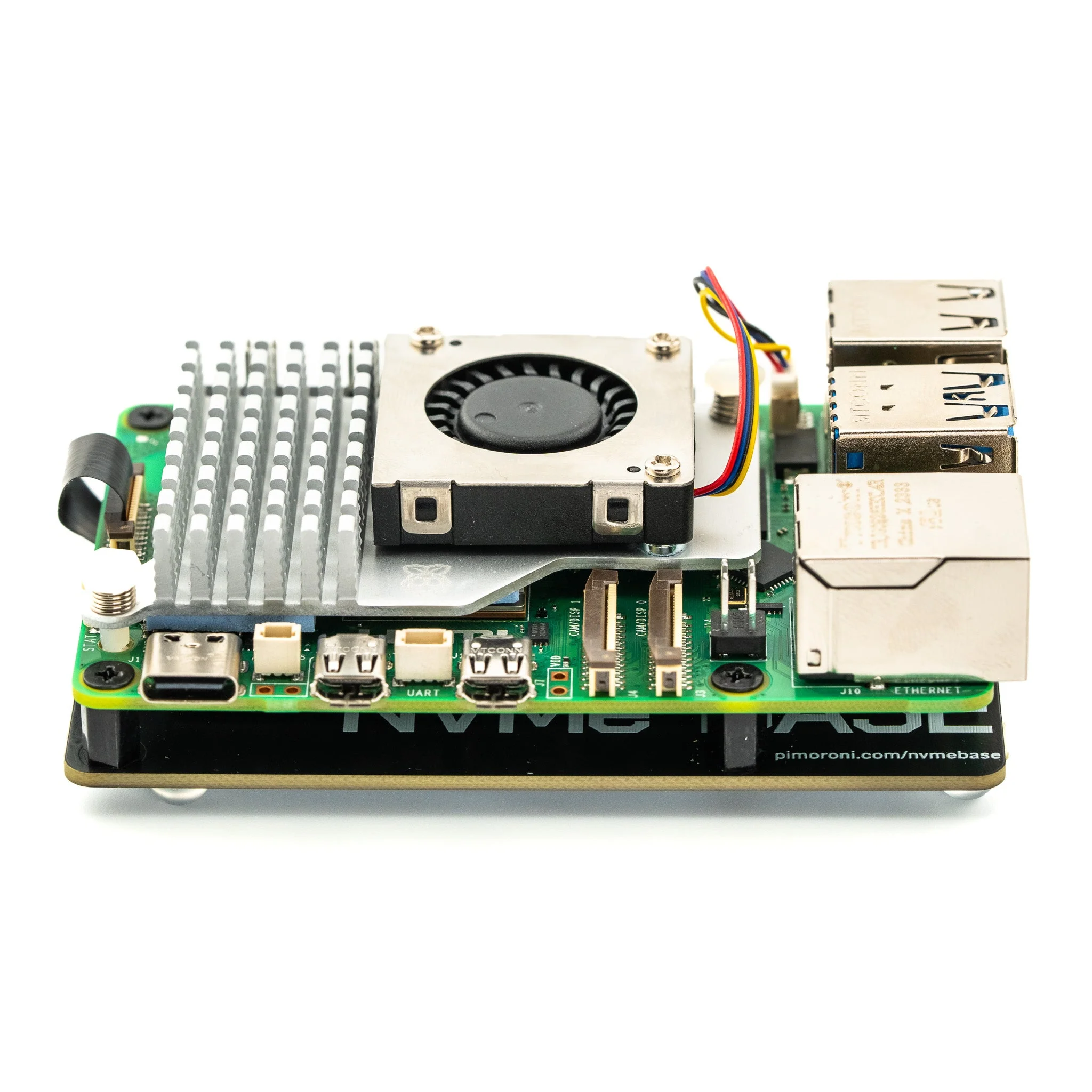
Add super-fast NVMe storage to your Raspberry Pi 5 for lightning-fast boots, snappy applications, and NAS builds. NVMe Base is a PCIe extension board that mounts under your Pi for a compact, high-performance storage solution.
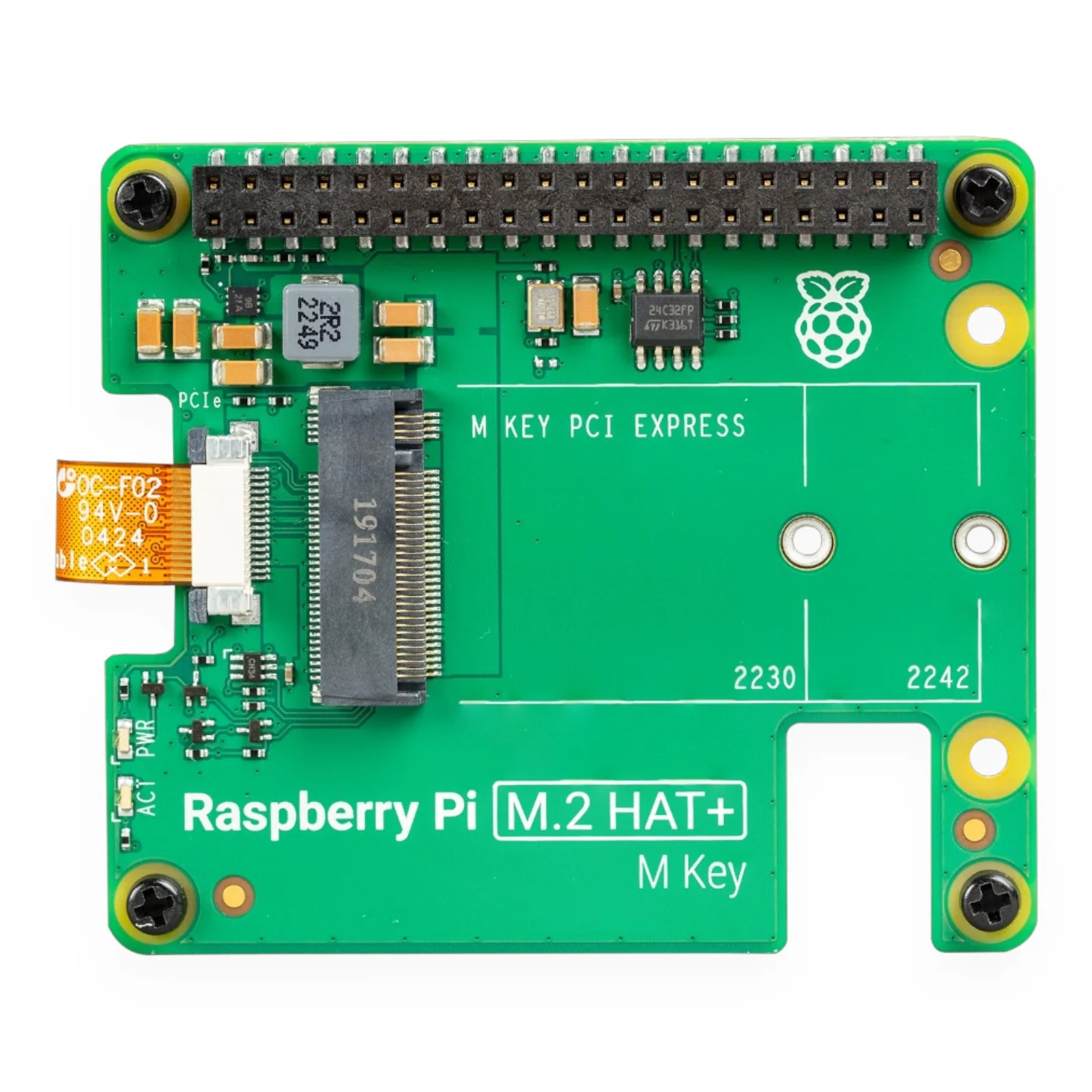
Simply install an M-key NVMe SSD (2230 to 2280 sizes supported) and connect via the included PCIe flat flex cable. Following Raspberry Pi's official PIP design guidelines, NVMe Base ensures long-term compatibility with Raspberry Pi OS updates.
Key Features
- PCIe Storage – Add fast NVMe storage with speeds up to 800MB/s read
- M.2 M-Key Slot – Supports 2230, 2242, 2260, and 2280 SSDs
- Compact Design – Mounts under your Pi 5 with included standoffs
- HAT Compatible – Includes pass-through bolts for stacking with HATs
- Boot Support – Boot directly from NVMe for faster startup
Ideal For
- File servers and NAS builds
- Media centres (Plex, Jellyfin)
- High-IOPS applications and databases
- Anyone wanting faster storage than microSD
Package Contents
- 1× NVMe Base PCB with M.2 Slot (M-Key)
- 1× PCIe Pipe Flat Flex Cable
- 4× Rubber feet
- 1× M2 bolt and 2× nuts for SSD mounting
- 4× 7mm M2.5 standoffs for base mounting
- 8× Short M2.5 bolts for base mounting
- 4× Long M2.5 bolts for pass-through HAT mounting
Tested Compatible Drives
- AData Legend 700/800, XPG SX8200 Pro
- Crucial P2, P3, P3 Plus
- Kingston KC3000
- Kioxia Exceria, Exceria G2
- Lexar NM620, NM710
- Netac NV2000, NV3000
- Sabrent Rocket 4.0, Rocket Nano
- Samsung 980, 980 Pro (500GB/1TB)
- Team MP33
- WD Black SN750 SE
Getting Started
- Update firmware to 2023-12-06 or newer via
sudo raspi-config→ Advanced Options → Bootloader Version → Latest - For PCIe 3.0 speeds, add
dtparam=pciex1_gen=3to/boot/firmware/config.txt - Format drive using Raspberry Pi Imager
- Enable NVMe boot via
sudo raspi-config→ Advanced Options → Boot Order → NVMe/USB
Resources
- Getting Started Guide (Pimoroni)
- Installation Video
- Dimensional Drawing (PDF)
- Benchmark Results (pibenchmarks.net)
Product Information
Product Information
Shipping & Returns
Shipping & Returns
Description
Add super-fast NVMe storage to your Raspberry Pi 5 for lightning-fast boots, snappy applications, and NAS builds. NVMe Base is a PCIe extension board that mounts under your Pi for a compact, high-performance storage solution.
Simply install an M-key NVMe SSD (2230 to 2280 sizes supported) and connect via the included PCIe flat flex cable. Following Raspberry Pi's official PIP design guidelines, NVMe Base ensures long-term compatibility with Raspberry Pi OS updates.
Key Features
- PCIe Storage – Add fast NVMe storage with speeds up to 800MB/s read
- M.2 M-Key Slot – Supports 2230, 2242, 2260, and 2280 SSDs
- Compact Design – Mounts under your Pi 5 with included standoffs
- HAT Compatible – Includes pass-through bolts for stacking with HATs
- Boot Support – Boot directly from NVMe for faster startup
Ideal For
- File servers and NAS builds
- Media centres (Plex, Jellyfin)
- High-IOPS applications and databases
- Anyone wanting faster storage than microSD
Package Contents
- 1× NVMe Base PCB with M.2 Slot (M-Key)
- 1× PCIe Pipe Flat Flex Cable
- 4× Rubber feet
- 1× M2 bolt and 2× nuts for SSD mounting
- 4× 7mm M2.5 standoffs for base mounting
- 8× Short M2.5 bolts for base mounting
- 4× Long M2.5 bolts for pass-through HAT mounting
Tested Compatible Drives
- AData Legend 700/800, XPG SX8200 Pro
- Crucial P2, P3, P3 Plus
- Kingston KC3000
- Kioxia Exceria, Exceria G2
- Lexar NM620, NM710
- Netac NV2000, NV3000
- Sabrent Rocket 4.0, Rocket Nano
- Samsung 980, 980 Pro (500GB/1TB)
- Team MP33
- WD Black SN750 SE
Getting Started
- Update firmware to 2023-12-06 or newer via
sudo raspi-config→ Advanced Options → Bootloader Version → Latest - For PCIe 3.0 speeds, add
dtparam=pciex1_gen=3to/boot/firmware/config.txt - Format drive using Raspberry Pi Imager
- Enable NVMe boot via
sudo raspi-config→ Advanced Options → Boot Order → NVMe/USB
Resources
- Getting Started Guide (Pimoroni)
- Installation Video
- Dimensional Drawing (PDF)
- Benchmark Results (pibenchmarks.net)