NVMe Base Duo for Raspberry Pi 5
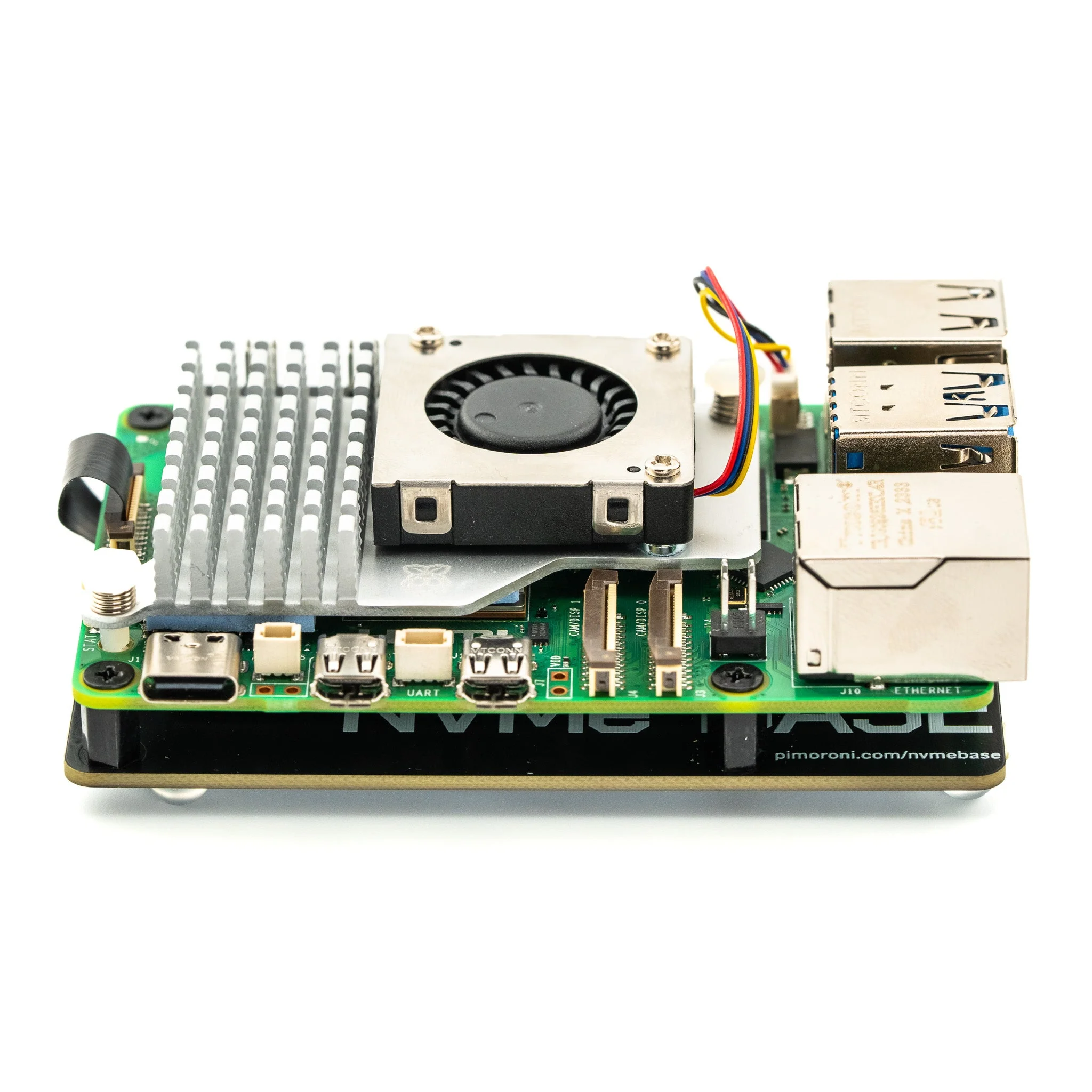
Add two super-fast NVMe SSDs to your Raspberry Pi 5 for redundancy, RAID configurations, or simply more storage. NVMe Base Duo is a PCIe Gen 2 extension board with dual M.2 slots that mounts under or over your Pi.
Perfect for file servers, media centres, home automation with backup, or any task requiring large amounts of fast, redundant storage. Follows Raspberry Pi's official PIP design guidelines for long-term OS compatibility.
Key Features
- Dual M.2 Slots – Mount two NVMe SSDs (2230 to 2280 sizes)
- PCIe Gen 2 – ~450MB/s total throughput, ~220MB/s per drive
- PCIe Switch – Wider drive compatibility than single NVMe Base
- Compact Design – Mounts under or over your Pi 5
- HAT Compatible – Includes pass-through bolts for stacking
Ideal For
- RAID configurations (mirroring, striping)
- File servers and NAS builds with redundancy
- Media centres with large storage requirements
- Home automation with built-in backup drives
Package Contents
- 1× NVMe Base Duo PCB with two M.2 slots (M-Key)
- 1× PCIe Flex Flat Flex Cable
- 4× Rubber feet
- 4× M2 bolts and 2× 5mm standoffs for SSD mounting
- 4× 12mm M2.5 standoffs for base mounting
- 8× Short M2.5 bolts for base mounting
- 4× 20mm M2.5 bolts for pass-through HAT mounting
Tested Compatible Drives
- ADATA Legend 700, SX8200PNP
- Crucial P5 Plus
- Kingston KC3000
- Kioxia Exceria, Exceria G2
- Lexar NM710
- Patriot P300, P310
- PNY CS1030
- Sabrent Rocket 4.0, Rocket Nano
- Samsung 970 EVO Plus, 980, 980 Pro
- SK hynix Gold P31
- WD Blue SN550/SN570, Black SN750 SE/SN770, Red SN700, Green SN350
Getting Started
- Update Pi 5 firmware to 2023-12-06 or newer via
sudo raspi-config→ Advanced Options → Bootloader Version → Latest - Install drives and connect PCIe cable
- Boot from SD card – drives appear as additional storage
- Configure RAID using
mdadmif desired
Resources
- Benchmark Results (pibenchmarks.net)
Product Information
Product Information
Shipping & Returns
Shipping & Returns
Description
Add two super-fast NVMe SSDs to your Raspberry Pi 5 for redundancy, RAID configurations, or simply more storage. NVMe Base Duo is a PCIe Gen 2 extension board with dual M.2 slots that mounts under or over your Pi.
Perfect for file servers, media centres, home automation with backup, or any task requiring large amounts of fast, redundant storage. Follows Raspberry Pi's official PIP design guidelines for long-term OS compatibility.
Key Features
- Dual M.2 Slots – Mount two NVMe SSDs (2230 to 2280 sizes)
- PCIe Gen 2 – ~450MB/s total throughput, ~220MB/s per drive
- PCIe Switch – Wider drive compatibility than single NVMe Base
- Compact Design – Mounts under or over your Pi 5
- HAT Compatible – Includes pass-through bolts for stacking
Ideal For
- RAID configurations (mirroring, striping)
- File servers and NAS builds with redundancy
- Media centres with large storage requirements
- Home automation with built-in backup drives
Package Contents
- 1× NVMe Base Duo PCB with two M.2 slots (M-Key)
- 1× PCIe Flex Flat Flex Cable
- 4× Rubber feet
- 4× M2 bolts and 2× 5mm standoffs for SSD mounting
- 4× 12mm M2.5 standoffs for base mounting
- 8× Short M2.5 bolts for base mounting
- 4× 20mm M2.5 bolts for pass-through HAT mounting
Tested Compatible Drives
- ADATA Legend 700, SX8200PNP
- Crucial P5 Plus
- Kingston KC3000
- Kioxia Exceria, Exceria G2
- Lexar NM710
- Patriot P300, P310
- PNY CS1030
- Sabrent Rocket 4.0, Rocket Nano
- Samsung 970 EVO Plus, 980, 980 Pro
- SK hynix Gold P31
- WD Blue SN550/SN570, Black SN750 SE/SN770, Red SN700, Green SN350
Getting Started
- Update Pi 5 firmware to 2023-12-06 or newer via
sudo raspi-config→ Advanced Options → Bootloader Version → Latest - Install drives and connect PCIe cable
- Boot from SD card – drives appear as additional storage
- Configure RAID using
mdadmif desired
Resources
- Benchmark Results (pibenchmarks.net)